
Purchase orders that keep count.
Turn a supplier quote into a numbered PO, route it to the right approver, and track every line to the last delivery.

PO-2026-0412
Details
Partially Received10/02/2026
Line Items
| Item | Qty | Unit | Unit Price (USD) | Subtotal (USD) |
|---|---|---|---|---|
#5 rebar (40 ft) | 8.4 | tons | 1,040.00 | 8,736.00 |
#4 rebar (20 ft) | 3.2 | tons | 1,060.00 | 3,392.00 |
Tie wire 16 ga | 20 | rolls | 8.50 | 170.00 |
#5 rebar coupler | 400 | EA | 6.75 | 2,700.00 |
Delivery & Payment
- Partially Received
DR-202610-118
10/06/2026
Summary
PO #
PO-2026-0412
Status
Partially ReceivedVendor
Items
4 items
Total
USD 14,998.00
Issue Date
10/02/2026
Progress
Approved
10/02/2026 11:02 AM
Sent to supplier
Partly received
2 of 4 items received in full
PO-2026-0412
Details
Partially Received10/02/2026
Line Items
| Item | Qty | Unit | Unit Price (USD) | Subtotal (USD) |
|---|---|---|---|---|
#5 rebar (40 ft) | 8.4 | tons | 1,040.00 | 8,736.00 |
#4 rebar (20 ft) | 3.2 | tons | 1,060.00 | 3,392.00 |
Tie wire 16 ga | 20 | rolls | 8.50 | 170.00 |
#5 rebar coupler | 400 | EA | 6.75 | 2,700.00 |
Delivery & Payment
- Partially Received
DR-202610-118
10/06/2026
Summary
PO #
PO-2026-0412
Status
Partially ReceivedVendor
Items
4 items
Total
USD 14,998.00
Issue Date
10/02/2026
Progress
Approved
10/02/2026 11:02 AM
Sent to supplier
Partly received
2 of 4 items received in full
Attach the quote, draft the PO.
Upload the supplier's quote PDF or photograph a site note, and it stays with the draft PO. When automatic reading is available, it fills in each item, quantity and price for you, and items already in your material catalog bring their unit with them.
Create PO
| # | Description | Qty | Unit | Unit Price (USD) | Subtotal (USD) | Cost Code | ||
|---|---|---|---|---|---|---|---|---|
| 1 | #5 rebar (40 ft) | 8.4 | tons | 1040 | 8,736.00 | |||
| 2 | #4 rebar (20 ft) | 3.2 | tons | 1060 | 3,392.00 | |||
| 3 | Tie wire 16 ga | 20 | rolls | 8.5 | 170.00 | |||
| 4 | #5 rebar coupler | 400 | EA | 6.75 | 2,700.00 |
Create PO
| # | Description | Qty | Unit | Unit Price (USD) | Subtotal (USD) | Cost Code | ||
|---|---|---|---|---|---|---|---|---|
| 1 | #5 rebar (40 ft) | 8.4 | tons | 1040 | 8,736.00 | |||
| 2 | #4 rebar (20 ft) | 3.2 | tons | 1060 | 3,392.00 | |||
| 3 | Tie wire 16 ga | 20 | rolls | 8.5 | 170.00 | |||
| 4 | #5 rebar coupler | 400 | EA | 6.75 | 2,700.00 |
Line numbers match the quote, so you can check every line against the paper before you create the PO.
One order, from request to last delivery.
Every step is logged with who did it and when.
- 01Requested
It starts on site.
A field engineer requests rebar for the slab. One requisition becomes one PO per supplier, no retyping.
⌘K3BackRequisition REQ-2026-0388
Convert to POApprovedDetailsProjectDatesOct 1, 2026
Expected delivery: Oct 14, 2026
Materials
Description Qty Unit Notes Attachments #5 rebar (40 ft) 8.4 tons — — #4 rebar (20 ft) 3.2 tons — — Tie wire 16 ga 20 rolls — — #5 rebar coupler 400 EA — — Items:4 itemsSummaryREQ #
REQ-2026-0388
Status
ApprovedMaterials
4 items
Created by
⌘K3BackCreate PO
Loaded 4 items from requisition REQ-2026-0388. Review and confirm.Order DetailsSource RequisitionREQ-2026-0388Scan ImageLine Items# Description Qty Unit Unit Price (USD) Subtotal (USD) Cost Code 1 #5 rebar (40 ft) 8.4 tons 1040 8,736.00 2 #4 rebar (20 ft) 3.2 tons 1060 3,392.00 3 Tie wire 16 ga 20 rolls 8.5 170.00 4 #5 rebar coupler 400 EA 6.75 2,700.00 Add Row4 items ·TotalUSD 14,998.00CancelCreate PO⌘K3BackRequisition REQ-2026-0388
Convert to POApprovedDetailsProjectDatesOct 1, 2026
Expected delivery: Oct 14, 2026
Materials
Description Qty Unit Notes Attachments #5 rebar (40 ft) 8.4 tons — — #4 rebar (20 ft) 3.2 tons — — Tie wire 16 ga 20 rolls — — #5 rebar coupler 400 EA — — Items:4 itemsSummaryREQ #
REQ-2026-0388
Status
ApprovedMaterials
4 items
Created by
⌘K3BackCreate PO
Loaded 4 items from requisition REQ-2026-0388. Review and confirm.Order DetailsSource RequisitionREQ-2026-0388Scan ImageLine Items# Description Qty Unit Unit Price (USD) Subtotal (USD) Cost Code 1 #5 rebar (40 ft) 8.4 tons 1040 8,736.00 2 #4 rebar (20 ft) 3.2 tons 1060 3,392.00 3 Tie wire 16 ga 20 rolls 8.5 170.00 4 #5 rebar coupler 400 EA 6.75 2,700.00 Add Row4 items ·TotalUSD 14,998.00CancelCreate PO - 02Approved
Approval follows the amount.
Everyone approves up to their own limit. Nobody approves an order they raised, unless they own the account.
⌘K3BackPO-2026-0412
Pending approval
Submitted — waiting for another approver
ApproveRejectYou raised this purchase order, so a different approver needs to approve it.
Details
Pending ApprovalProjectVendorDate10/02/2026
Line Items
Item Qty Unit Unit Price (USD) Subtotal (USD) #5 rebar (40 ft)8.4 tons 1,040.00 8,736.00 #4 rebar (20 ft)3.2 tons 1,060.00 3,392.00 Tie wire 16 ga20 rolls 8.50 170.00 #5 rebar coupler400 EA 6.75 2,700.00 Subtotal:USD 14,998.00Total:USD 14,998.00Summary
PO #
PO-2026-0412
Status
Pending ApprovalVendor
Items
4 items
Total
USD 14,998.00
Issue Date
10/02/2026
Progress
Awaiting approval
10/02/2026
Send to supplier
Awaiting delivery
Expected 10/14/2026
⌘K3BackPO-2026-0412
Pending approval
Review and approve or reject this PO
ApproveRejectThis purchase order is over your approval limit of USD 10,000.00. An owner or an approver with a higher limit needs to approve it.
Details
Pending ApprovalProjectVendorDate10/02/2026
Line Items
Item Qty Unit Unit Price (USD) Subtotal (USD) #5 rebar (40 ft)8.4 tons 1,040.00 8,736.00 #4 rebar (20 ft)3.2 tons 1,060.00 3,392.00 Tie wire 16 ga20 rolls 8.50 170.00 #5 rebar coupler400 EA 6.75 2,700.00 Subtotal:USD 14,998.00Total:USD 14,998.00Summary
PO #
PO-2026-0412
Status
Pending ApprovalVendor
Items
4 items
Total
USD 14,998.00
Issue Date
10/02/2026
Progress
Awaiting approval
10/02/2026
Send to supplier
Awaiting delivery
Expected 10/14/2026
⌘K3BackPO-2026-0412
Pending approval
Review and approve or reject this PO
ApproveRejectDetails
Pending ApprovalProjectVendorDate10/02/2026
Line Items
Item Qty Unit Unit Price (USD) Subtotal (USD) #5 rebar (40 ft)8.4 tons 1,040.00 8,736.00 #4 rebar (20 ft)3.2 tons 1,060.00 3,392.00 Tie wire 16 ga20 rolls 8.50 170.00 #5 rebar coupler400 EA 6.75 2,700.00 Subtotal:USD 14,998.00Total:USD 14,998.00Summary
PO #
PO-2026-0412
Status
Pending ApprovalVendor
Items
4 items
Total
USD 14,998.00
Issue Date
10/02/2026
Progress
Awaiting approval
10/02/2026
Send to supplier
Awaiting delivery
Expected 10/14/2026
⌘K3BackPO-2026-0412
Log DeliveryDetails
ApprovedProjectVendorDate10/02/2026
Line Items
Item Qty Unit Unit Price (USD) Subtotal (USD) #5 rebar (40 ft)8.4 tons 1,040.00 8,736.00 #4 rebar (20 ft)3.2 tons 1,060.00 3,392.00 Tie wire 16 ga20 rolls 8.50 170.00 #5 rebar coupler400 EA 6.75 2,700.00 Subtotal:USD 14,998.00Total:USD 14,998.00Summary
PO #
PO-2026-0412
Status
ApprovedVendor
Items
4 items
Total
USD 14,998.00
Issue Date
10/02/2026
Progress
Approved
10/02/2026 11:02 AM
Not yet sent to supplier
Awaiting delivery
Expected 10/14/2026
Approve this PO?Approve PO-2026-0412? Deliveries and payments can proceed after approval.Remarks (optional)
Add approval notes...PO approvedCancelApproveApprove⌘K3BackPO-2026-0412
Pending approval
Review and approve or reject this PO
ApproveRejectThis purchase order is over your approval limit of USD 10,000.00. An owner or an approver with a higher limit needs to approve it.
Details
Pending ApprovalProjectVendorDate10/02/2026
Line Items
Item Qty Unit Unit Price (USD) Subtotal (USD) #5 rebar (40 ft)8.4 tons 1,040.00 8,736.00 #4 rebar (20 ft)3.2 tons 1,060.00 3,392.00 Tie wire 16 ga20 rolls 8.50 170.00 #5 rebar coupler400 EA 6.75 2,700.00 Subtotal:USD 14,998.00Total:USD 14,998.00Summary
PO #
PO-2026-0412
Status
Pending ApprovalVendor
Items
4 items
Total
USD 14,998.00
Issue Date
10/02/2026
Progress
Awaiting approval
10/02/2026
Send to supplier
Awaiting delivery
Expected 10/14/2026
⌘K3BackPO-2026-0412
Pending approval
Submitted — waiting for another approver
ApproveRejectYou raised this purchase order, so a different approver needs to approve it.
Details
Pending ApprovalProjectVendorDate10/02/2026
Line Items
Item Qty Unit Unit Price (USD) Subtotal (USD) #5 rebar (40 ft)8.4 tons 1,040.00 8,736.00 #4 rebar (20 ft)3.2 tons 1,060.00 3,392.00 Tie wire 16 ga20 rolls 8.50 170.00 #5 rebar coupler400 EA 6.75 2,700.00 Subtotal:USD 14,998.00Total:USD 14,998.00Summary
PO #
PO-2026-0412
Status
Pending ApprovalVendor
Items
4 items
Total
USD 14,998.00
Issue Date
10/02/2026
Progress
Awaiting approval
10/02/2026
Send to supplier
Awaiting delivery
Expected 10/14/2026
⌘K3BackPO-2026-0412
Pending approval
Review and approve or reject this PO
ApproveRejectThis purchase order is over your approval limit of USD 10,000.00. An owner or an approver with a higher limit needs to approve it.
Details
Pending ApprovalProjectVendorDate10/02/2026
Line Items
Item Qty Unit Unit Price (USD) Subtotal (USD) #5 rebar (40 ft)8.4 tons 1,040.00 8,736.00 #4 rebar (20 ft)3.2 tons 1,060.00 3,392.00 Tie wire 16 ga20 rolls 8.50 170.00 #5 rebar coupler400 EA 6.75 2,700.00 Subtotal:USD 14,998.00Total:USD 14,998.00Summary
PO #
PO-2026-0412
Status
Pending ApprovalVendor
Items
4 items
Total
USD 14,998.00
Issue Date
10/02/2026
Progress
Awaiting approval
10/02/2026
Send to supplier
Awaiting delivery
Expected 10/14/2026
⌘K3BackPO-2026-0412
Pending approval
Review and approve or reject this PO
ApproveRejectDetails
Pending ApprovalProjectVendorDate10/02/2026
Line Items
Item Qty Unit Unit Price (USD) Subtotal (USD) #5 rebar (40 ft)8.4 tons 1,040.00 8,736.00 #4 rebar (20 ft)3.2 tons 1,060.00 3,392.00 Tie wire 16 ga20 rolls 8.50 170.00 #5 rebar coupler400 EA 6.75 2,700.00 Subtotal:USD 14,998.00Total:USD 14,998.00Summary
PO #
PO-2026-0412
Status
Pending ApprovalVendor
Items
4 items
Total
USD 14,998.00
Issue Date
10/02/2026
Progress
Awaiting approval
10/02/2026
Send to supplier
Awaiting delivery
Expected 10/14/2026
⌘K3BackPO-2026-0412
Log DeliveryDetails
ApprovedProjectVendorDate10/02/2026
Line Items
Item Qty Unit Unit Price (USD) Subtotal (USD) #5 rebar (40 ft)8.4 tons 1,040.00 8,736.00 #4 rebar (20 ft)3.2 tons 1,060.00 3,392.00 Tie wire 16 ga20 rolls 8.50 170.00 #5 rebar coupler400 EA 6.75 2,700.00 Subtotal:USD 14,998.00Total:USD 14,998.00Summary
PO #
PO-2026-0412
Status
ApprovedVendor
Items
4 items
Total
USD 14,998.00
Issue Date
10/02/2026
Progress
Approved
10/02/2026 11:02 AM
Not yet sent to supplier
Awaiting delivery
Expected 10/14/2026
Approve this PO?Approve PO-2026-0412? Deliveries and payments can proceed after approval.Remarks (optional)
Add approval notes...PO approvedCancelApproveApprove⌘K3BackPO-2026-0412
Pending approval
Review and approve or reject this PO
ApproveRejectThis purchase order is over your approval limit of USD 10,000.00. An owner or an approver with a higher limit needs to approve it.
Details
Pending ApprovalProjectVendorDate10/02/2026
Line Items
Item Qty Unit Unit Price (USD) Subtotal (USD) #5 rebar (40 ft)8.4 tons 1,040.00 8,736.00 #4 rebar (20 ft)3.2 tons 1,060.00 3,392.00 Tie wire 16 ga20 rolls 8.50 170.00 #5 rebar coupler400 EA 6.75 2,700.00 Subtotal:USD 14,998.00Total:USD 14,998.00Summary
PO #
PO-2026-0412
Status
Pending ApprovalVendor
Items
4 items
Total
USD 14,998.00
Issue Date
10/02/2026
Progress
Awaiting approval
10/02/2026
Send to supplier
Awaiting delivery
Expected 10/14/2026
- 03Sent
Stamped, signed, sent.
Only approved orders leave: a PDF with your company stamp and the approver's signature, emailed to the supplier.
⌘K3BackPO-2026-0412
Send to VendorLog DeliveryDetails
ApprovedProjectVendorDate10/02/2026
Line Items
Item Qty Unit Unit Price (USD) Subtotal (USD) #5 rebar (40 ft)8.4 tons 1,040.00 8,736.00 #4 rebar (20 ft)3.2 tons 1,060.00 3,392.00 Tie wire 16 ga20 rolls 8.50 170.00 #5 rebar coupler400 EA 6.75 2,700.00 Subtotal:USD 14,998.00Total:USD 14,998.00Summary
PO #
PO-2026-0412
Status
ApprovedVendor
Items
4 items
Total
USD 14,998.00
Issue Date
10/02/2026
Progress
Approved
10/02/2026 11:02 AM
Not yet sent to supplier
Awaiting delivery
Expected 10/14/2026
⌘K3BackPO-2026-0412
Log DeliveryDetails
IssuedProjectVendorDate10/02/2026
Line Items
Item Qty Unit Unit Price (USD) Subtotal (USD) #5 rebar (40 ft)8.4 tons 1,040.00 8,736.00 #4 rebar (20 ft)3.2 tons 1,060.00 3,392.00 Tie wire 16 ga20 rolls 8.50 170.00 #5 rebar coupler400 EA 6.75 2,700.00 Subtotal:USD 14,998.00Total:USD 14,998.00Summary
PO #
PO-2026-0412
Status
IssuedVendor
Items
4 items
Total
USD 14,998.00
Issue Date
10/02/2026
Progress
Approved
10/02/2026 11:02 AM
Sent to supplier
Awaiting delivery
Expected 10/14/2026
Send PO to VendorSend PO-2026-0412 to ?To:Vendor:PO #: PO-2026-0412Total: USD 14,998.00Resend this version as a reminderPO sent to vendorCancelSendSending...SendPurchase OrderPO-2026-0412Vendor InformationDelivery InformationIssue Date10/02/2026Expected Delivery10/14/2026Payment Terms#DescriptionUnitQtyUnit PriceAmount1#5 rebar (40 ft)tons8.4USD 1,040.00USD 8,736.002#4 rebar (20 ft)tons3.2USD 1,060.00USD 3,392.003Tie wire 16 garolls20USD 8.50USD 170.004#5 rebar couplerEA400USD 6.75USD 2,700.00SubtotalUSD 14,998.00TotalUSD 14,998.00Authorized SignatureVendor Acceptance⌘K3BackPO-2026-0412
Send to VendorLog DeliveryDetails
ApprovedProjectVendorDate10/02/2026
Line Items
Item Qty Unit Unit Price (USD) Subtotal (USD) #5 rebar (40 ft)8.4 tons 1,040.00 8,736.00 #4 rebar (20 ft)3.2 tons 1,060.00 3,392.00 Tie wire 16 ga20 rolls 8.50 170.00 #5 rebar coupler400 EA 6.75 2,700.00 Subtotal:USD 14,998.00Total:USD 14,998.00Summary
PO #
PO-2026-0412
Status
ApprovedVendor
Items
4 items
Total
USD 14,998.00
Issue Date
10/02/2026
Progress
Approved
10/02/2026 11:02 AM
Not yet sent to supplier
Awaiting delivery
Expected 10/14/2026
⌘K3BackPO-2026-0412
Log DeliveryDetails
IssuedProjectVendorDate10/02/2026
Line Items
Item Qty Unit Unit Price (USD) Subtotal (USD) #5 rebar (40 ft)8.4 tons 1,040.00 8,736.00 #4 rebar (20 ft)3.2 tons 1,060.00 3,392.00 Tie wire 16 ga20 rolls 8.50 170.00 #5 rebar coupler400 EA 6.75 2,700.00 Subtotal:USD 14,998.00Total:USD 14,998.00Summary
PO #
PO-2026-0412
Status
IssuedVendor
Items
4 items
Total
USD 14,998.00
Issue Date
10/02/2026
Progress
Approved
10/02/2026 11:02 AM
Sent to supplier
Awaiting delivery
Expected 10/14/2026
Send PO to VendorSend PO-2026-0412 to ?To:Vendor:PO #: PO-2026-0412Total: USD 14,998.00Resend this version as a reminderPO sent to vendorCancelSendSending...SendPurchase OrderPO-2026-0412Vendor InformationDelivery InformationIssue Date10/02/2026Expected Delivery10/14/2026Payment Terms#DescriptionUnitQtyUnit PriceAmount1#5 rebar (40 ft)tons8.4USD 1,040.00USD 8,736.002#4 rebar (20 ft)tons3.2USD 1,060.00USD 3,392.003Tie wire 16 garolls20USD 8.50USD 170.004#5 rebar couplerEA400USD 6.75USD 2,700.00SubtotalUSD 14,998.00TotalUSD 14,998.00Authorized SignatureVendor Acceptance - 04Received
Every delivery counts down.
Each delivery ticket checks off its own lines, so the PO always knows what is still to come.
3Packing Slip #
DN-5520
Completion
67%
2 of 4 items received in full
4 items · 2 of 4 items received in fullMaterials#5 rebar (40 ft)
ReceivedStocked- This delivery
- 5.6 tons
- Received to date
- 5.6 / 8.4 tons
- Remaining
- 2.8 tons
#4 rebar (20 ft)
ReceivedStocked- This delivery
- 3.2 tons
- Received to date
- 3.2 / 3.2 tons
- Remaining
- 0 tons
Tie wire 16 ga
ReceivedStocked- This delivery
- 20 rolls
- Received to date
- 20 / 20 rolls
- Remaining
- 0 rolls
#5 rebar coupler
Short- This delivery
- 0 EA
- Received to date
- 0 / 400 EA
- Remaining
- 400 EA
10:09app.materialpro.io⌘K3BackDR-202610-118
Partially ReceivedPO-2026-0412 · · Oct 6, 2026, 6:50 AM
View in locatorDELIVERY TICKETDN-552010/06/20265.6 tons3.2 tons20 rolls—Take photoAdd filesPO #
PO-2026-0412
Vendor
Date
Oct 6, 2026, 6:50 AM
Received By
Project
Delivery Location
Packing Slip #
DN-5520
Completion
67%
2 of 4 items received in full
Materials4 items·2 of 4 items received in fullMaterial Ordered This delivery Rejected Received to date Remaining Unit Status #5 rebar (40 ft) 8.4 5.6 - 5.6 2.8 tons ReceivedStocked#4 rebar (20 ft) 3.2 3.2 - 3.2 0 tons ReceivedStockedTie wire 16 ga 20 20 - 20 0 rolls ReceivedStocked#5 rebar coupler 400 0 - 0 400 EA Short
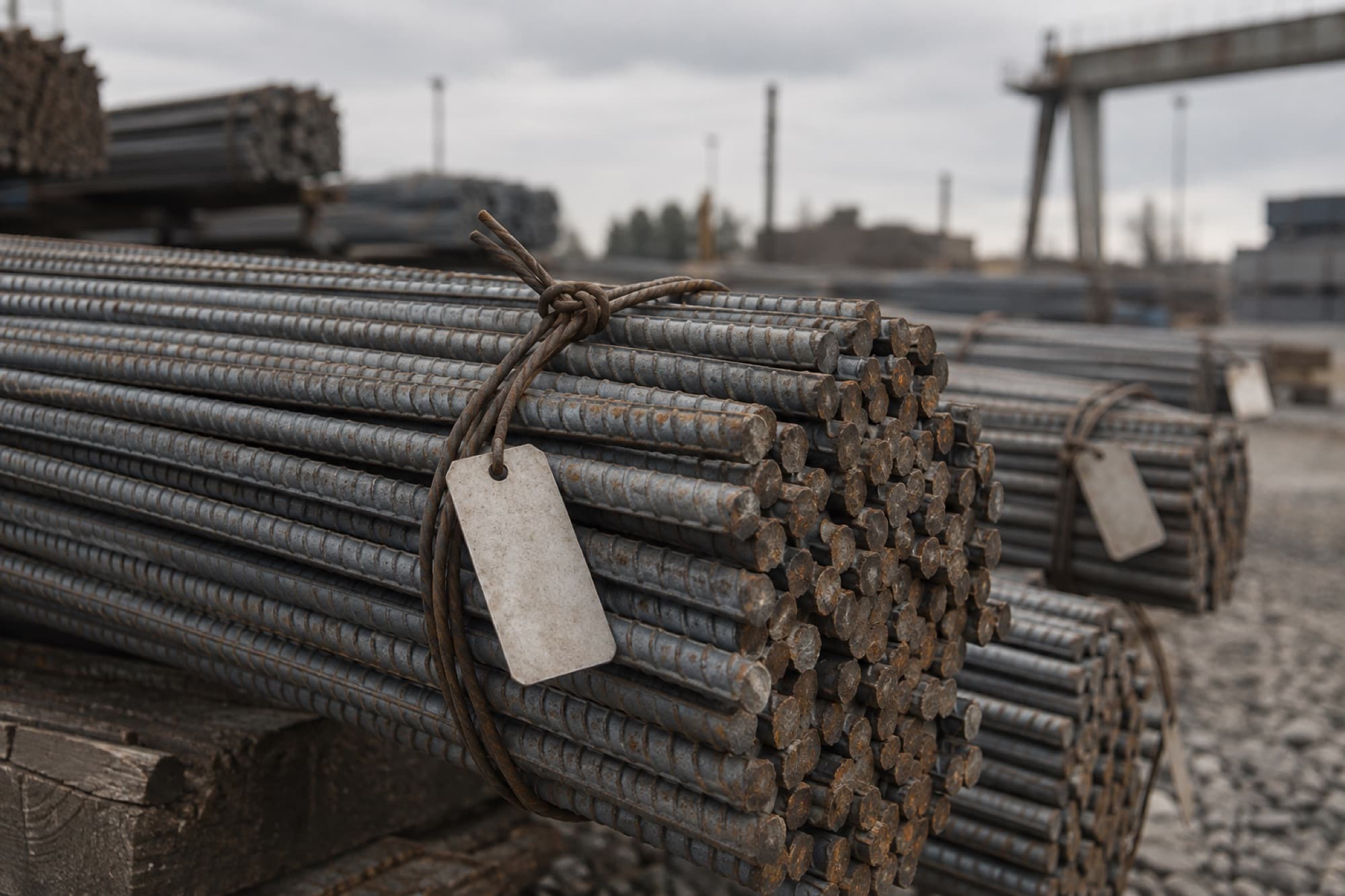
The truck brought 5.6 of 8.4 tons. The PO remembers the rest.
Split deliveries are normal. The order counts each line until the last bundle is signed for.
Start with the order on your desk.
Bring a real supplier quote. Leave with a numbered, approved PO.